LinkedIn job posting If you’re trying to hire in 2026, chances are LinkedIn is one of the first platforms you think of. It’s where professionals live online, and that makes it a powerful place to find serious candidates. But once you click that “Post a job” button, one question hits: how much does a LinkedIn job posting actually cost, and what are you really paying for?
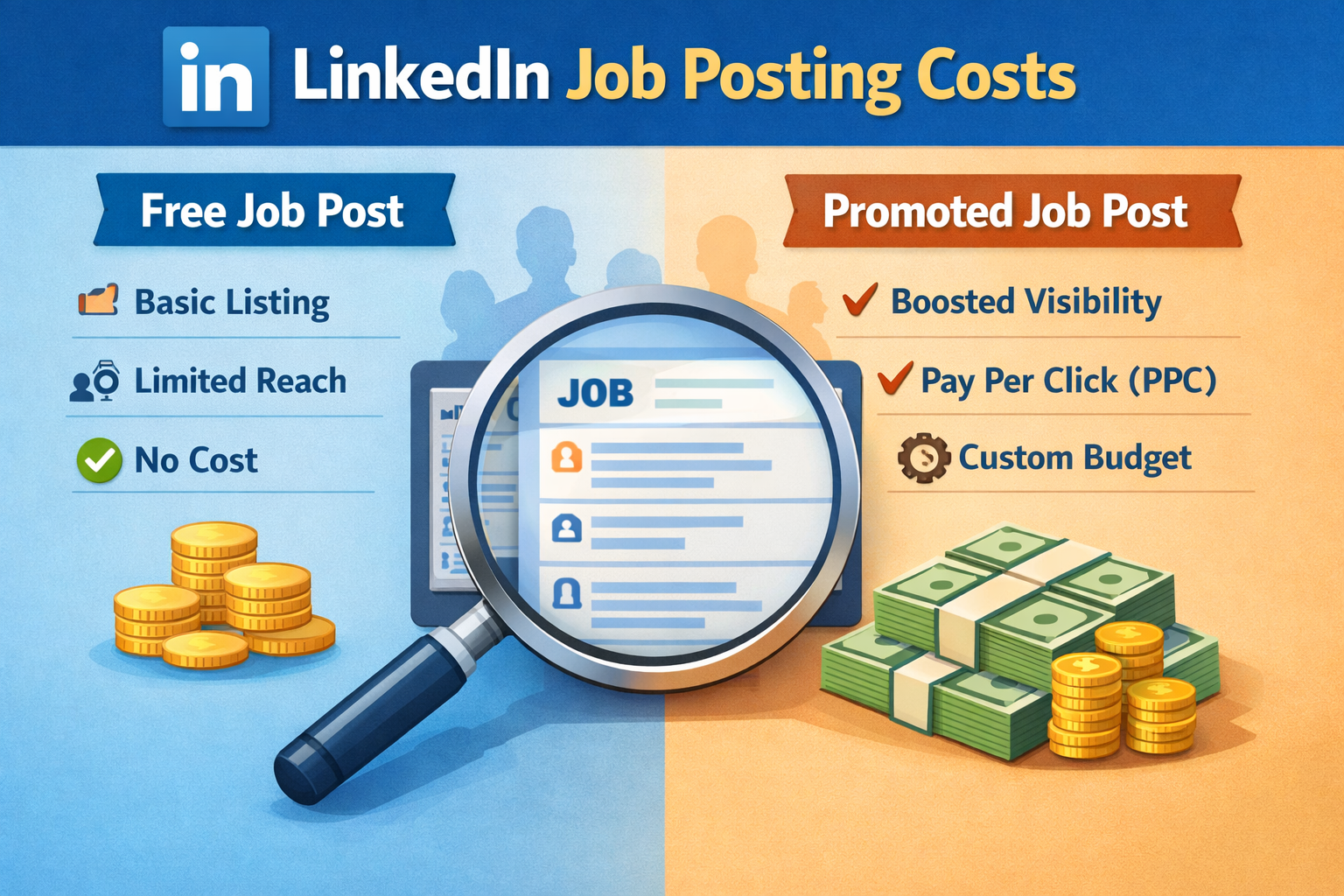
The short answer: posting can be free, but real reach usually comes from paid promotion based on a pay‑per‑click model, where you control the budget and LinkedIn controls how far your job goes. The trick is understanding how the pricing works, so you don’t end up burning money without getting quality applicants.
What Exactly Is A LinkedIn Job Posting?
Before we talk numbers, let’s clear up what a job post on LinkedIn really is. When you post a job, you’re basically creating a listing that appears in:
-
Search results when candidates filter by title, location, or skills
-
Job recommendations shown to relevant users in their feeds
Think of it as a digital billboard placed right in front of professionals who match your criteria. The way you “rent” that billboard can be free or paid, and that’s where the cost story starts.
Free vs Paid Job Posts: What’s The Difference?
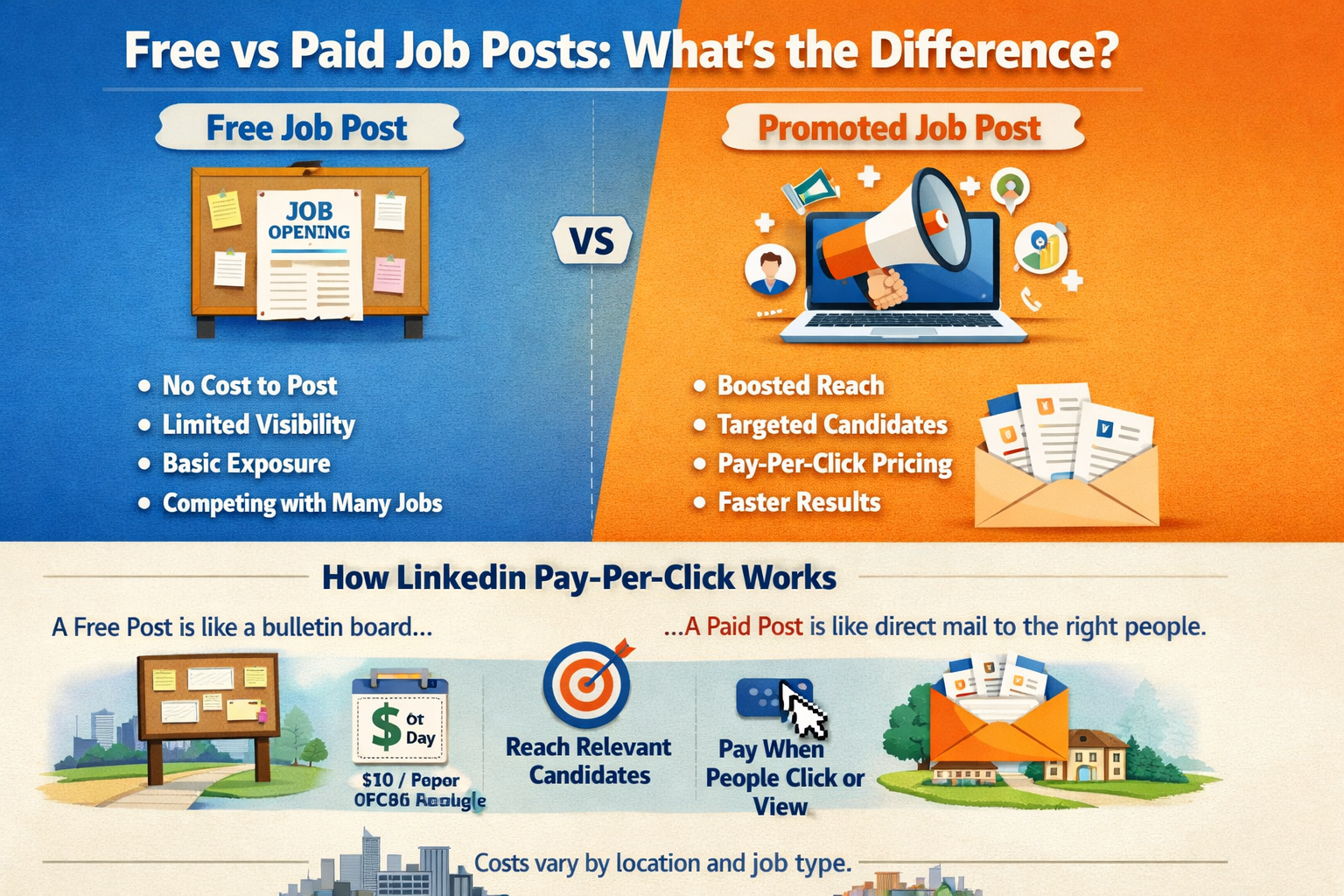
LinkedIn gives you two main paths: free job posts and promoted (paid) job posts. On the surface, they look similar, but under the hood they behave very differently.
Free job posts:
-
You can post a standard job at no upfront cost.
-
The listing appears in search results and may reach some candidates organically.
-
Visibility is limited and you compete with a huge number of other jobs.
-
You get basic exposure, but you’re not actively “pushing” the job to more people.
Promoted (paid) job posts:
-
You take the same job and add a promotion budget to boost its reach.
-
LinkedIn shows your job to more relevant candidates and surfaces it more prominently.
-
You pay on a pay‑per‑click basis, meaning you’re charged when people click or view your job, within LinkedIn’s rules.
-
Ideal when you need faster results, difficult-to-fill roles, or high-volume hiring.
In simple terms, a free post is like putting a flyer on a bulletin board and hoping people pass by. A promoted job is like paying to have your flyer mailed to a curated list of people who actually match your role.
How LinkedIn Pay‑Per‑Click Pricing Works
Now to the part everyone cares about: the money. LinkedIn doesn’t charge a flat “per job” fee for self‑serve promoted posts. Instead, it works on a PPC (pay‑per‑click) basis combined with a budget that you control.
Here’s the logic in plain language:
-
You set a daily budget (for example, 10 USD per day) or a total budget for the entire campaign.
-
LinkedIn then shows your job to relevant candidates and charges you when they click or view the job (under LinkedIn’s definition of billable interactions).
-
You are not charged for:
-
Clicking your own job
-
Multiple views from the same logged‑in user
-
Views from people who aren’t signed in
-
Your actual cost per click (CPC) depends on:
-
Your job location
-
The title or type of role
-
How many other companies are posting similar jobs at the same time
In other words, LinkedIn runs an auction in the background. If you’re hiring for a very competitive role in a major city, you’ll almost always pay more per click than for a niche role in a less crowded market.
Daily Budget vs Total Budget: What’s Best For You?
When you promote a job, LinkedIn lets you choose how you want to control spend:
-
Daily budget
-
You decide how much you’re comfortable spending per day.
-
Example: 10 USD (around ₹835) per day for 30 days.
-
Your maximum spend over 30 days would be around 300 USD (roughly ₹25,000) or less, depending on the actual clicks and LinkedIn’s pacing.
-
-
Total campaign budget
-
You set an overall cap for the whole job, like 300 USD.
-
LinkedIn spreads that budget over the duration, trying to maximize visibility without going over the total.
-
LinkedIn also has guardrails so one day of heavy activity doesn’t blow your budget. It can spend up to about 150% of your daily budget on a busy day, but will compensate by spending less on other days so you don’t exceed your total campaign limit over time.
Think of it like a monthly data plan. Some days you use more, some days less, but you stay within your plan overall.
Typical Cost Ranges For LinkedIn Job Posts
Because costs are influenced by competition and location, there’s no universal flat rate. But you can think in ballpark ranges:
-
Small or test campaigns
-
Daily budget: ~10 USD (≈ ₹835)
-
Duration: 30 days
-
Maximum total spend: around 300 USD (≈ ₹25,000)
-
-
Moderate campaigns
-
Daily budget: 20–40 USD
-
Duration: 20–30 days
-
Total spend: 400–1,200 USD depending on how aggressively you want reach
-
-
High‑competition or urgent roles
-
Budgets might go significantly higher to stay visible among competitors.
-
You’ll often need to adjust based on performance and hiring urgency.
-
For India specifically, the same logic applies but budgets are often expressed both in USD and INR. LinkedIn commonly references a daily minimum around 10 USD or about ₹835 for promoted jobs as a starting point, though you can raise it if you want quicker results.
Contract / Enterprise Job Posting Costs
Beyond the self‑serve option, there’s another tier many smaller employers never touch: contract-based or enterprise posting.
Here’s how that typically looks:
-
It’s usually used by larger companies or agencies that meet certain criteria.
-
You might sign a 6‑month or 12‑month contract with LinkedIn.
-
LinkedIn helps set detailed targeting for your roles and actively boosts your job posts.
-
Instead of paying per click alone, you may be billed per qualified candidate applying or based on agreed package terms.
Pricing varies, but you’ll often see ranges around 1,500–3,000 USD per job post for a limited campaign period in these more involved setups. That might sound steep, but for high-value hires or large-scale recruitment, companies see it as an investment in filling critical roles faster.
LinkedIn Recruiter vs Job Posting: Don’t Confuse The Two
A lot of people mix up LinkedIn job posting costs with LinkedIn Recruiter pricing, but they’re not the same thing.
-
Job posting
-
You create a job, candidates apply to you.
-
You pay via PPC or contract models to promote the job.
-
-
LinkedIn Recruiter / Recruiter Lite
-
This is a separate subscription tool for sourcing and messaging candidates directly.
-
It can cost in the ballpark of hundreds of dollars per month per seat, depending on the tier (for example, Recruiter Lite vs corporate plans).
-
You can use job posts alone, Recruiter alone, or both together. But when we talk about “LinkedIn job posting cost,” we’re mainly talking about the cost to have your job listing reach more people, not the cost of recruiter licenses.
What A Real‑World Budget Might Look Like
Let’s make it concrete with a simple example.
Imagine you’re hiring a Software Engineer in a competitive metro area:
-
You set a daily budget of 20 USD.
-
You plan to run the job for 30 days.
-
Your maximum spend is around 600 USD.
Over those 30 days:
-
Your actual spend might be slightly under 600 USD if the market is quiet.
-
You might see cost per click fluctuating as other employers post similar roles.
-
You track how many applicants you get, what percentage are qualified, and how many move to interviews or offers.
If, after 10–15 days, you’re getting poor applicants, you might:
-
Tweak the job title and description.
-
Adjust targeting (location, seniority, skills).
-
Raise or lower the daily budget depending on performance.
Scaling or cutting back is entirely in your hands. That’s the advantage of the PPC model—you don’t feel locked into a flat fee that you can’t adjust.
Free Job Posting: When Is It Enough?
You might be wondering: if free is available, why not always just use that?
Free job posting can be enough when:
-
You’re hiring for a role with plenty of available talent.
-
You’re not in a rush and can wait longer for applications.
-
You want to “test the waters” with a new role before investing in promotion.
However, free posts:
-
Typically don’t get as much visibility.
-
Are heavily overshadowed by promoted jobs in competitive categories.
-
May take much longer to generate a solid pipeline of candidates.
If you’ve posted a job for free and it’s been two weeks with barely any decent applicants, that’s your signal: it may be time to promote the post and set a budget.
Factors That Influence Your Actual Cost
Not all job posts are equal. You could set the same budget as another company, yet see different performance. Why? Because several factors quietly influence how much you effectively pay per candidate:
-
Role seniority
-
Senior or specialized roles often attract fewer qualified candidates, so competition for them is tougher.
-
-
Industry and location
-
A marketing role in a major city might have far more advertisers bidding than a similar role in a smaller market.
-
-
Job title and description quality
-
Clear, attractive, keyword‑optimized titles and descriptions tend to attract better candidates and better click‑through rates.
-
Better engagement can help your budget stretch further.
-
-
Targeting choices
-
Overly narrow targeting can limit reach and drive up costs.
-
Overly broad targeting can send you lots of unqualified traffic.
-
Think of it like running an online ad campaign. You can’t blame the platform if your targeting, messaging, or offer isn’t sharp. LinkedIn job posting cost is the channel; you still have to bring a compelling pitch.
How To Control Costs And Maximize ROI
Spending on LinkedIn job posting cost doesn’t automatically mean you’ll get great hires. To make your money work harder, you need a simple strategy:
-
Start with a modest but realistic budget
-
For most small to mid‑sized roles, starting around 10–20 USD per day for 15–30 days is a reasonable test.
-
-
Write a strong job description
-
Use a clear, specific title that candidates actually search for.
-
Highlight responsibilities, must‑have skills, and what’s in it for them (salary range, culture, benefits).
-
-
Optimize your targeting
-
Use relevant locations, seniority levels, and skills, but don’t over‑narrow.
-
If you’re not getting impressions, widen the net slightly.
-
-
Monitor cost per applicant and cost per hire
-
Don’t just look at clicks. Track how many qualified candidates you get and what each one effectively costs you.
-
-
Adjust and iterate
-
If a particular job isn’t performing, change the creative, targeting, or budget instead of just letting it burn.
-
Over time, you’ll learn your own “comfort zone” for cost per hire on LinkedIn, and budgeting becomes much easier.
When To Consider Higher Budgets Or Contracts
Sometimes a small campaign just won’t cut it. You might want to step up your investment when:
-
You’re hiring for niche or executive roles where each hire is extremely valuable.
-
You’re scaling a team fast and need many similar roles filled in a short window.
-
You already know LinkedIn is your best-performing source for a specific function.
In such cases:
-
Raising your daily budget can help keep you competitive in busy markets.
-
Contacting LinkedIn for enterprise or contract options may make sense, especially if you’re running many roles at once and need advanced support.
It’s like deciding whether you take an Uber or rent a coach bus—depends on how many people you’re trying to move and how quickly.
Is LinkedIn Job Posting Cost-Effective Compared To Other Platforms?
This is the real question most employers care about: not “how much does it cost?” but “is it worth the cost?”
LinkedIn often has:
-
Higher cost per click or per applicant than some general job boards.
-
Better candidate quality for professional, white‑collar, and specialized roles.
If your business needs skilled professionals, managers, or executives, paying a bit more for fewer but more qualified applicants can be far more cost-effective than wading through hundreds of random resumes from cheaper channels.
On the other hand, if you’re hiring for high-volume, entry-level, or local roles, other job portals may be cheaper and LinkedIn might be better used as a secondary channel.
Practical Budget Suggestions For Different Situations
Here’s a quick way to think about budgets, so you’re not guessing:
-
Small business hiring 1–2 roles
-
Start with 10–15 USD per day for 20–30 days.
-
Total: roughly 200–450 USD per job.
-
-
Growing company hiring several mid‑level roles
-
20–30 USD per day per job, 20–30 days.
-
Total: around 400–900 USD per role.
-
-
High‑value or hard‑to‑fill position
-
Consider 30–50 USD per day and a tighter, well-optimized campaign.
-
Possibly combine with direct outreach or LinkedIn Recruiter.
-
These are not fixed rules, but safe starting points you can adapt based on your results and local market.
Conclusion
LinkedIn job posting cost isn’t some mysterious number hidden behind a paywall. It’s a flexible, budget-controlled system where you choose how much to spend and how aggressively to promote your role. You don’t have to outspend your competitors—you just have to out‑smart them with better targeting, better messaging, and smarter use of the tools LinkedIn already gives you.